Skip to content

Showcase

Pink Fix on a real test project in Blender 5.2: scan, match, apply, and hand off a folder that just opens.

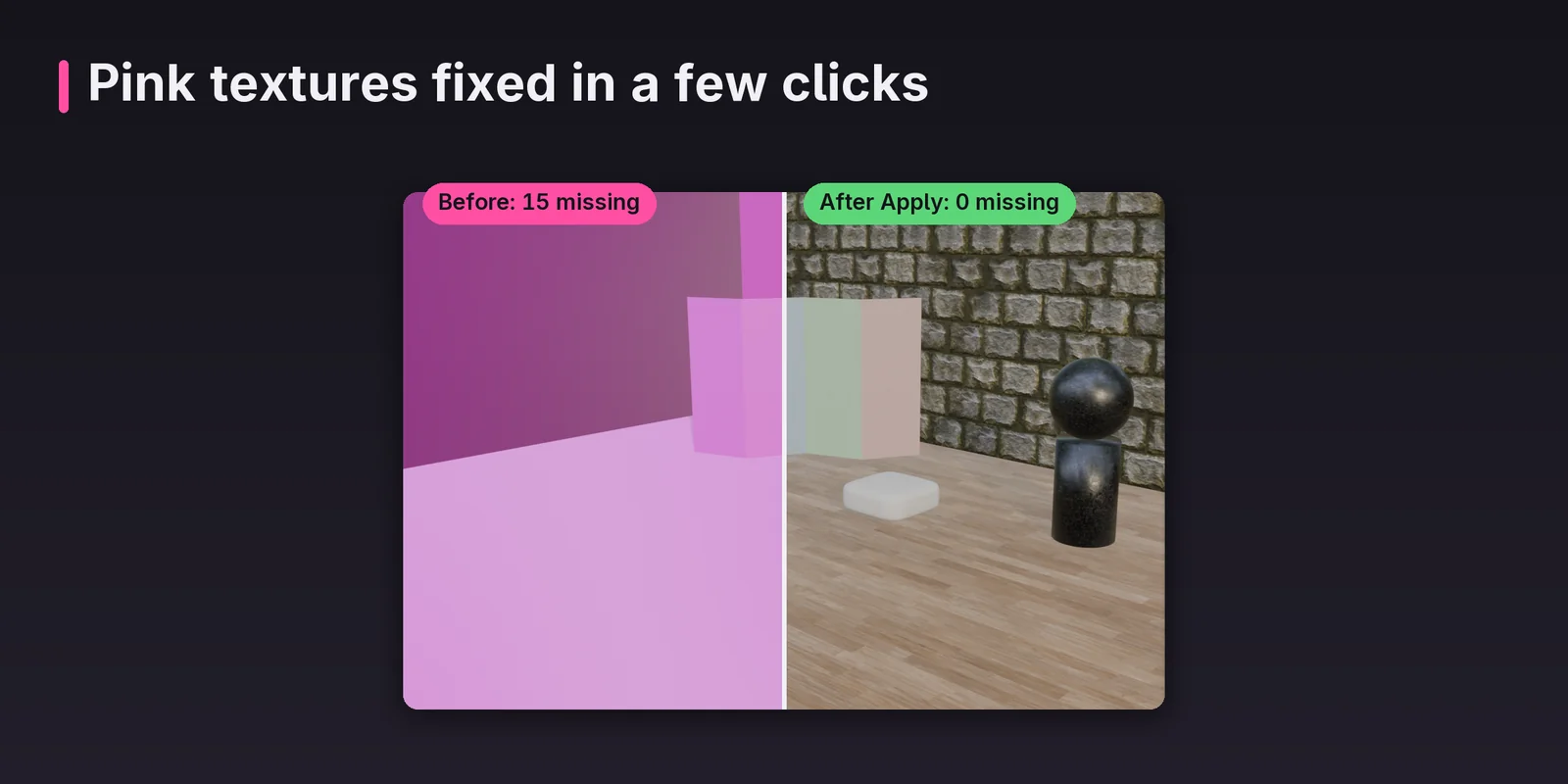
Split view of a Blender viewport: left half shows pink missing textures with 15 files missing, right half shows the same scene fully textured after Apply with 0 missing
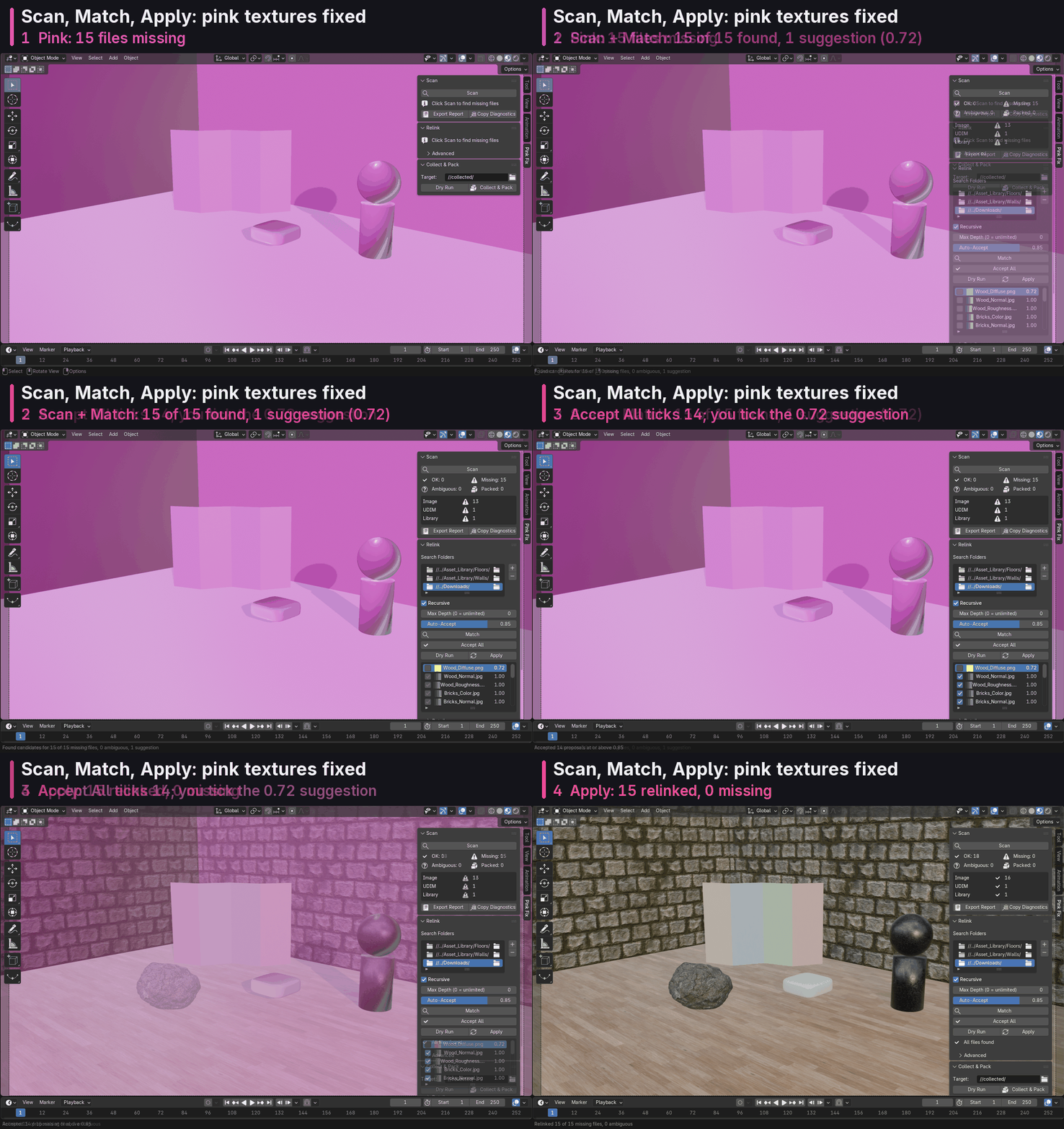
Pink textures fixed in a few clicks
Animation of the Pink Fix panel: Scan finds 15 missing files, Match finds candidates for all 15, Accept All ticks 14 and the 0.72 suggestion is ticked by hand, Apply relinks 15 with 0 missing
Scan, Match, Apply
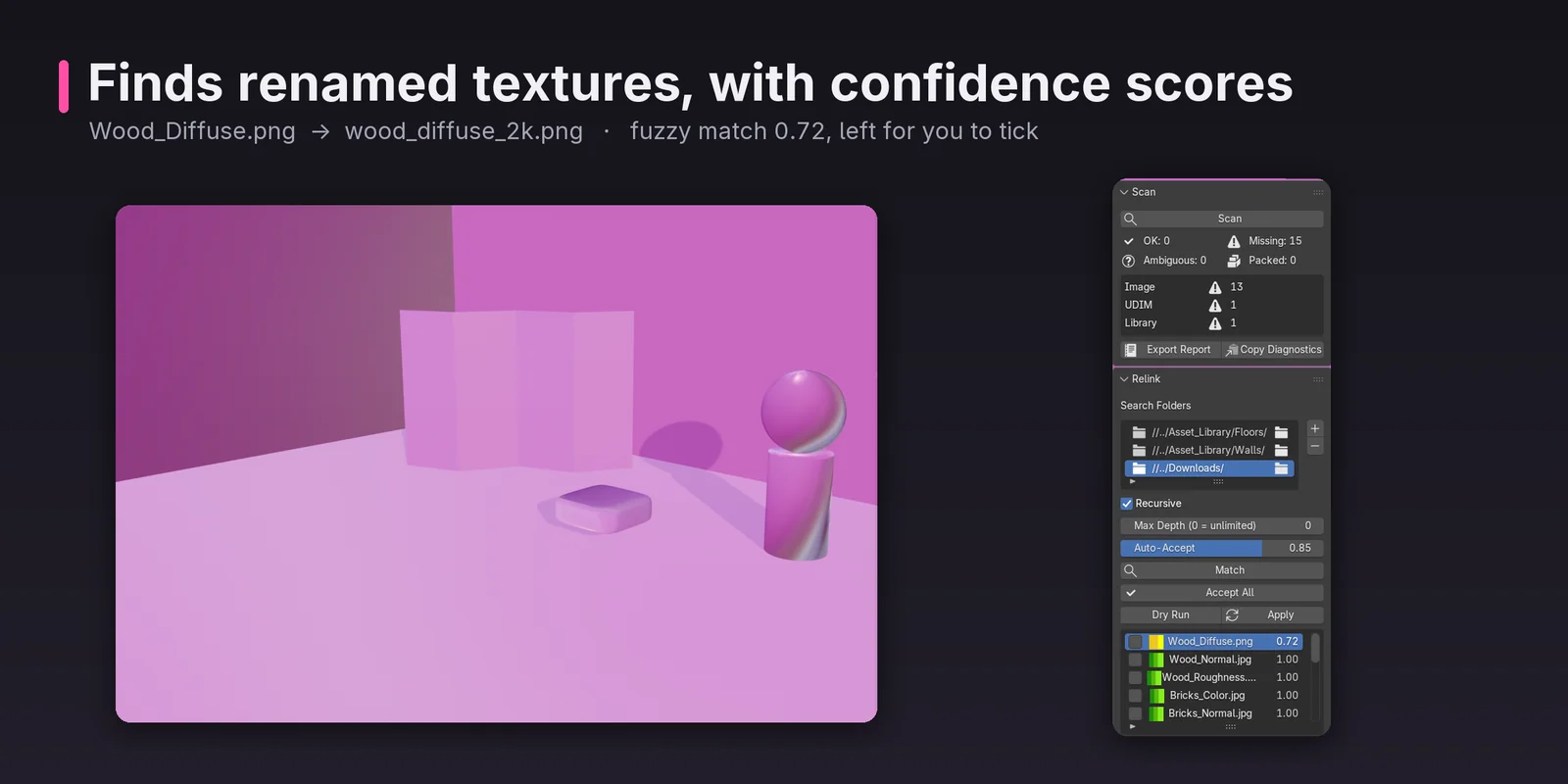
Pink Fix Relink results with Wood_Diffuse.png matched to wood_diffuse_2k.png at fuzzy confidence 0.72, left unticked for the user to confirm
Finds renamed textures, with confidence scores
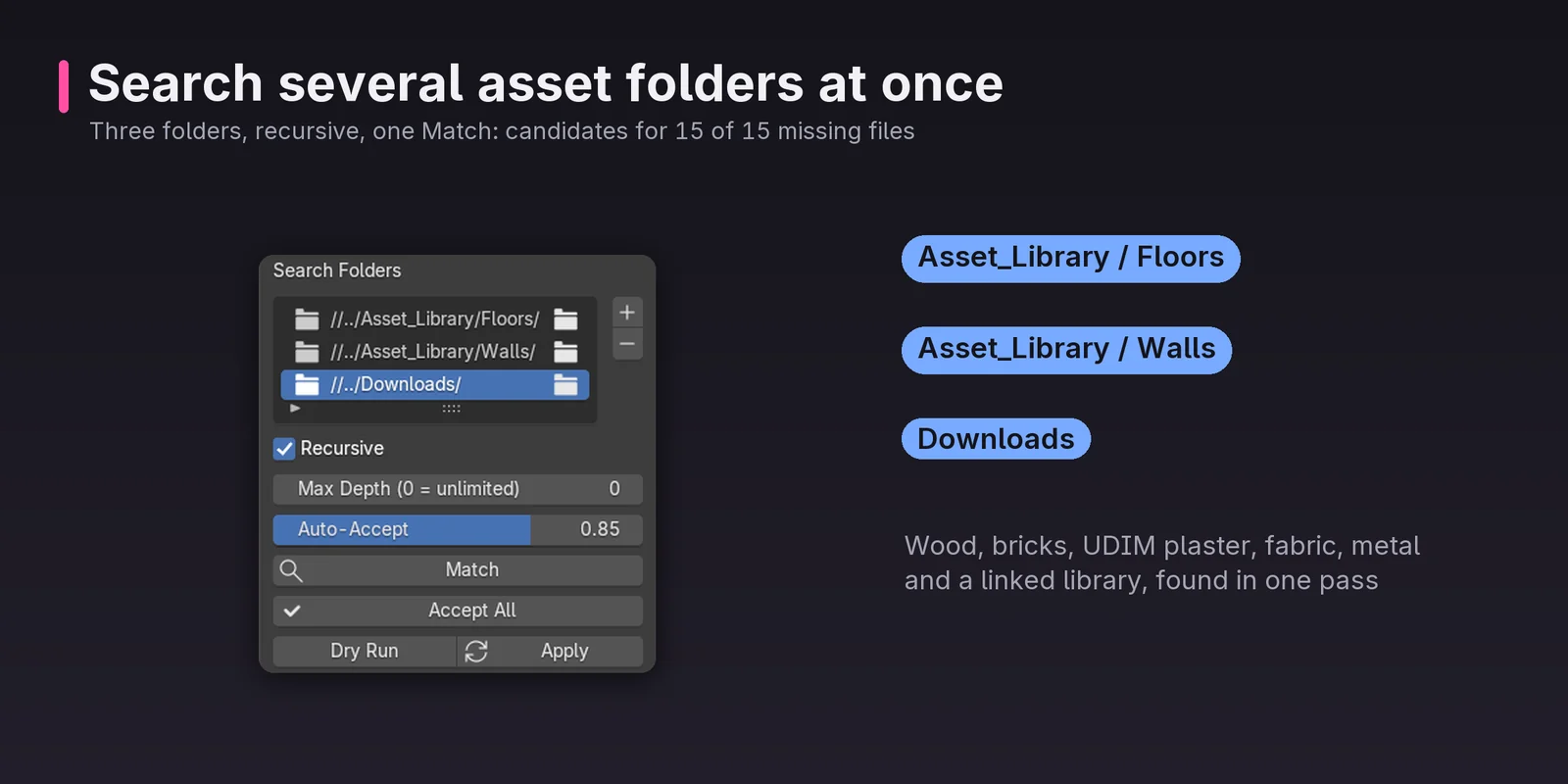
Search Folders list with three recursive folders, Asset_Library Floors, Asset_Library Walls and Downloads, giving candidates for 15 of 15 missing files in one Match
Search several asset folders at once
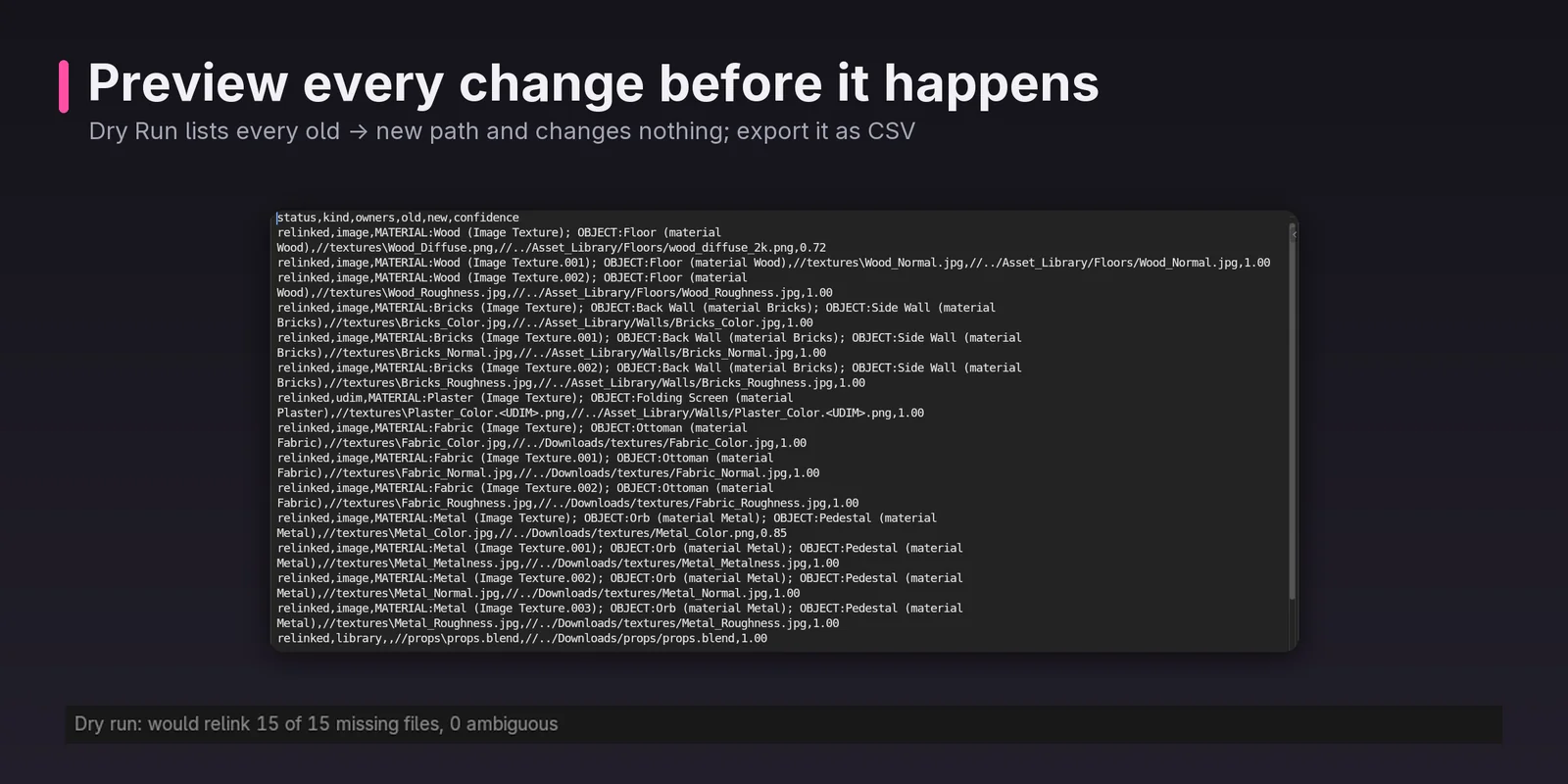
Dry Run report listing every old and new file path without changing anything, with the option to export it as CSV
Preview every change before it happens
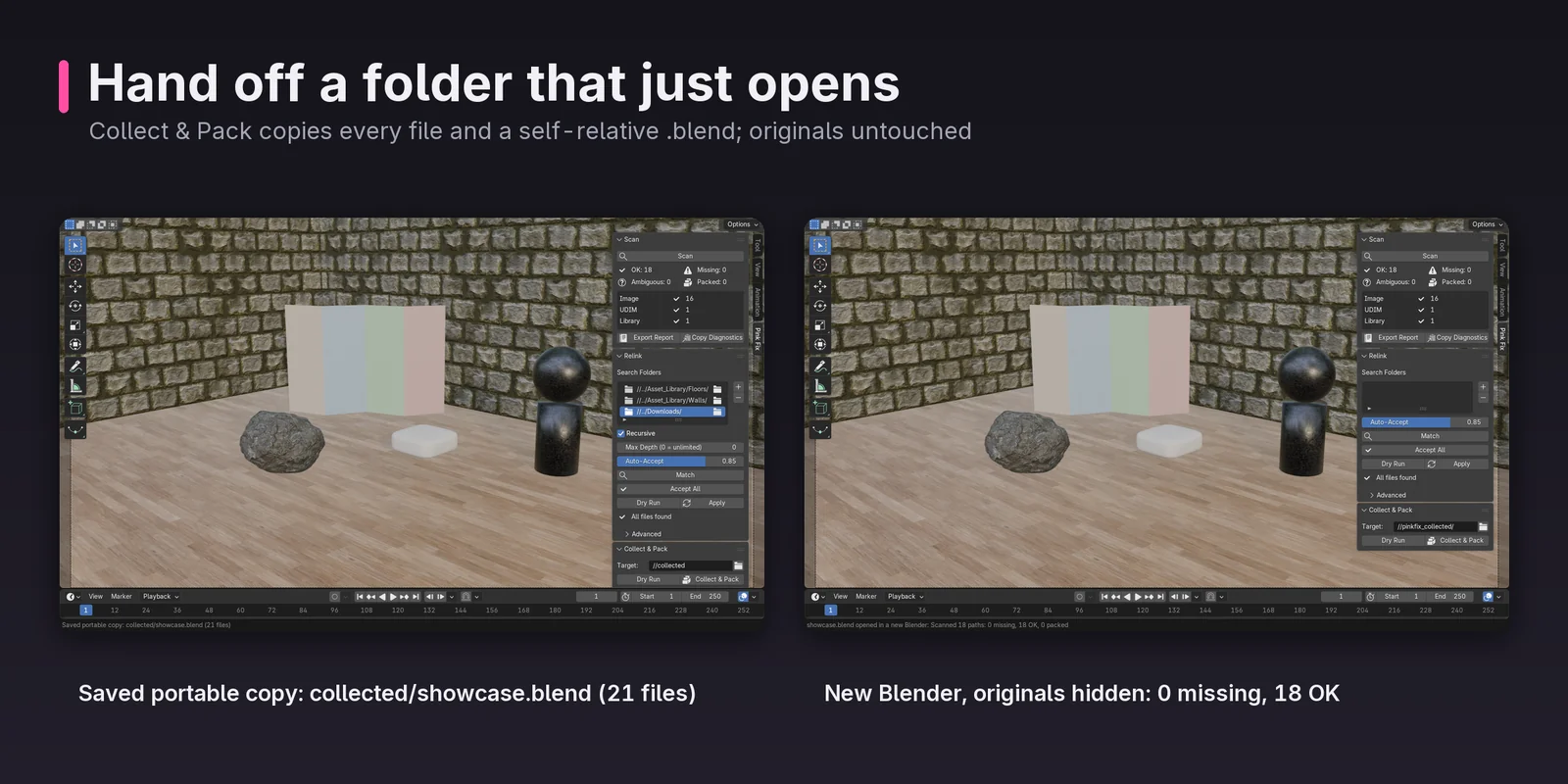
Collect and Pack saving a portable copy with 21 files, and the collected .blend opened in a new Blender with originals hidden showing 0 missing and 18 OK
Hand off a folder that just opens
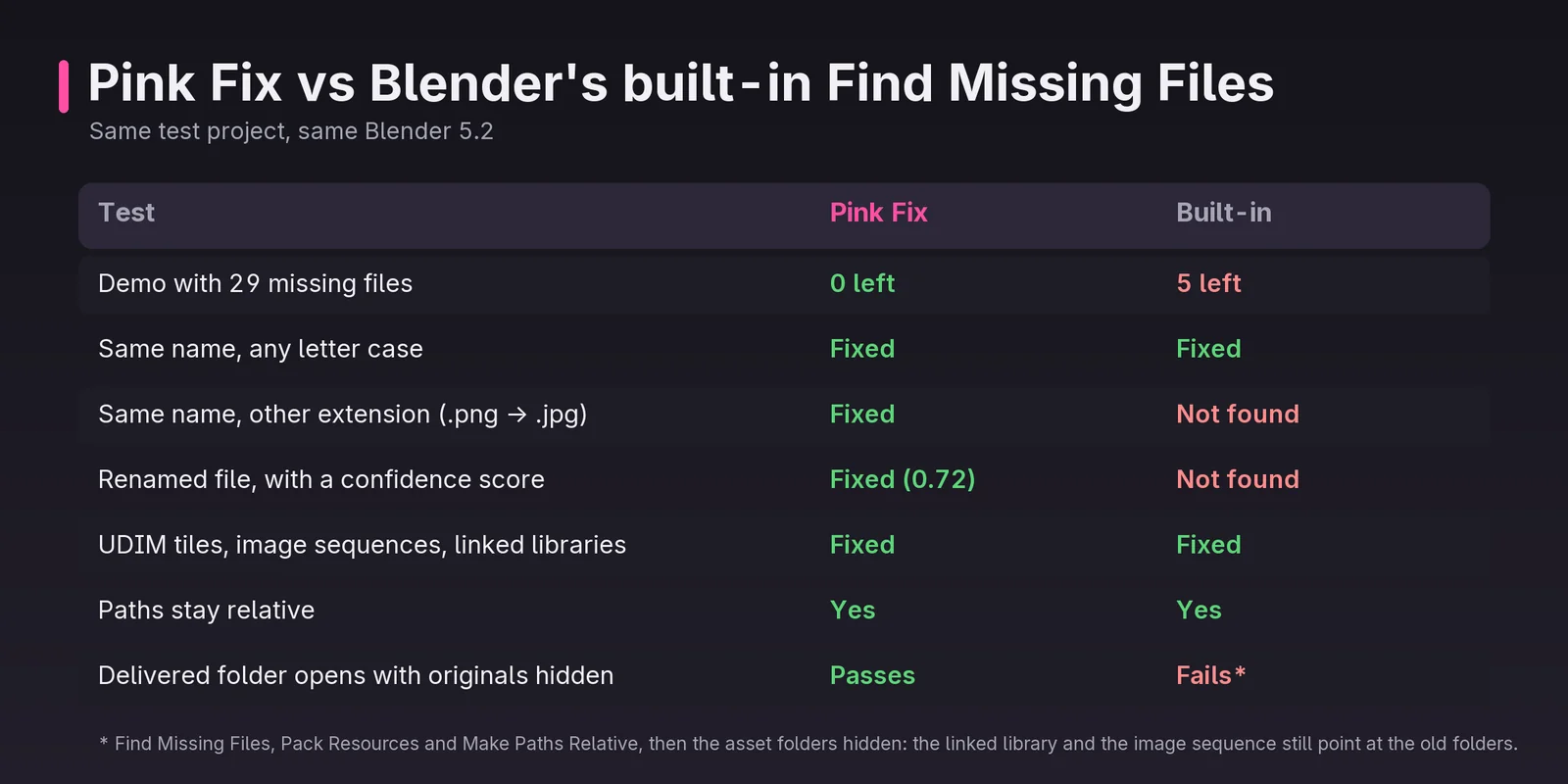
Comparison table of Pink Fix against Blender's built-in Find Missing Files on the same test project: Pink Fix leaves 0 of 29 missing files versus 5, and also fixes other extensions and renamed files
Pink Fix vs Blender's built-in Find Missing Files